You have probably seen them in Google search results: recipe listings that show a photo, a star rating, a cook time, and a calorie count before you even click through. Those are called rich results, and they get significantly more clicks than plain blue text links.
The thing that makes rich results possible is called recipe schema markup. It is a piece of structured data that tells Google exactly what your content is and what the key information is. Without it, Google has to guess. With it, Google can display your recipe in the most prominent, click-worthy format available.
The good news: you do not need to know how to code to implement recipe schema correctly. This guide explains what schema markup is, why it matters for food blog SEO, what fields Google requires and recommends, and how to make sure yours is set up right.
What Is Recipe Schema Markup?
Schema markup is structured data: code added to a web page that follows a standardized format (defined at schema.org) so search engines can read it reliably. Instead of Google having to infer what your page is about from the text alone, schema tells it directly.
For a food blog post, recipe schema communicates things like:
This page contains a recipe
The recipe name is X
It takes 45 minutes total to make
It serves 4 people
It contains these specific ingredients
Each step of the instructions is as follows
One serving has approximately 320 calories
Google uses this structured information to generate rich results, the enhanced search listings that display a recipe card with an image, rating, timing, and sometimes calorie data. These cards appear in standard search results and in Google's dedicated recipe carousel at the top of the page for many food-related queries.
Rich results are not guaranteed even with valid schema, but valid schema is required to be considered for them. Without it, you are ineligible.
Why Recipe Schema Matters for Food Blog SEO
It makes you eligible for rich results
The most direct benefit of recipe schema is eligibility for rich results. A recipe post with no schema will never appear in Google's recipe carousel. It will never show a star rating in search results. It will never display a cook time or calorie count next to the title.
These visual enhancements are not cosmetic. Rich results generate higher click-through rates than standard text listings because they give the searcher more information before they click, and that information (a photo, a quick prep time, a 4.8 star rating) is persuasive. More clicks from the same ranking position means more traffic.
It signals content quality to Google
Implementing complete, accurate schema is a signal that your site is technically well-maintained. Google's quality assessments are not just about content; they factor in technical execution. A food blog with valid, comprehensive recipe schema consistently across hundreds of posts is a different quality signal than one where schema is absent or broken.
It feeds Google's AI-generated content features
In 2026, Google's AI Overviews and other AI-generated answer features pull structured, verified information from pages with valid schema. Recipe blogs with complete schema are more likely to have their data surfaced in these features, which adds a visibility dimension beyond traditional blue-link rankings.
Schema markup handled automatically, no code required.
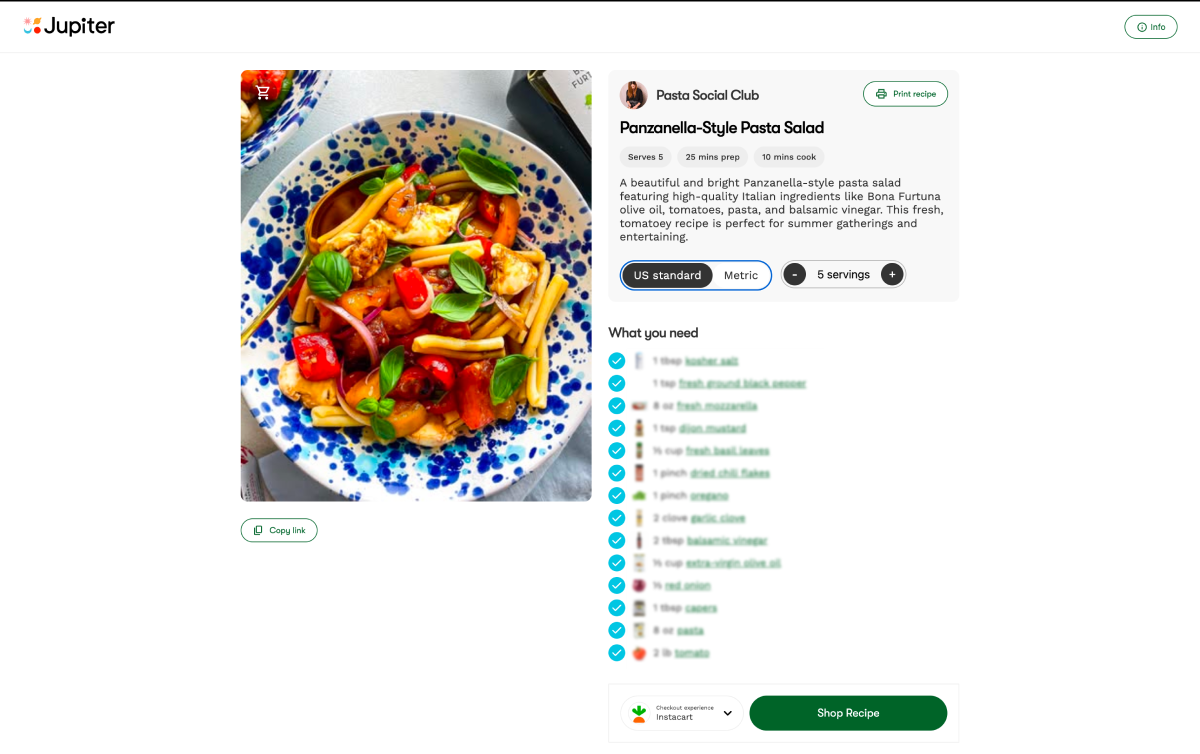
Jupiter's free recipe website outputs valid, complete recipe schema markup on every post. You fill in your recipe details. Jupiter takes care of the structured data that gets you into Google rich results.
What Google Requires vs. Recommends
Google publishes its own documentation for recipe rich results at developers.google.com/search/docs/appearance/structured-data/recipe. It draws a clear distinction between required properties and recommended properties.
Required properties
These fields must be present for a recipe post to be eligible for rich results at all:
name: The name of the recipe. This should match your recipe title.
image: At least one image of the finished dish. Google requires images to be crawlable and indexable. Recommended dimensions are 1200x675 pixels (16:9 ratio) or 1200x900 pixels (4:3 ratio). Images below 720 pixels wide may not qualify.
Recommended properties
These fields are not required for eligibility but significantly improve your chances of appearing in the rich result and the data that gets displayed:
author: The person or organization who created the recipe. Include a name field.
datePublished: The date the recipe was first published, in ISO 8601 format (e.g., 2026-03-15).
description: A short summary of the recipe. This often maps to your recipe card description or the opening paragraph of your post.
prepTime / cookTime / totalTime: All three time fields, in ISO 8601 duration format. 30 minutes is PT30M. 1 hour 15 minutes is PT1H15M. Total time should equal prep time plus cook time.
recipeYield: How many servings the recipe makes. Include the number and the unit (e.g., "4 servings" or "12 cookies").
recipeCategory: The meal course or category. Examples: Breakfast, Dessert, Main Course, Side Dish.
recipeCuisine: The cuisine type. Examples: Italian, Mexican, Japanese, American.
recipeIngredient: Each ingredient as a separate item in an array. Include quantity, unit, and ingredient name (e.g., "2 cups all-purpose flour").
recipeInstructions: Each step as a separate HowToStep, with a text field containing the step instructions. Do not lump all instructions into a single text block.
nutrition: At minimum, calories per serving. Additional fields like fat, protein, carbohydrates, and fiber are available and add richness to the display.
aggregateRating: The recipe's average rating and how many ratings it is based on. This is what generates the star display in search results. You need a rating mechanism on your site (a recipe card plugin with user ratings, or a third-party rating widget) to populate this field accurately.
keywords: A list of terms that describe the recipe. These are not the same as your SEO keywords; they are descriptive tags like "weeknight dinner," "kid-friendly," "make-ahead," or "under 30 minutes."
How Recipe Schema Is Structured: A Simple Example
Schema markup is written in a format called JSON-LD (JavaScript Object Notation for Linked Data). It lives in a script tag in the HTML of your page. Here is a simplified example of what a recipe schema block looks like:
{ "@context": "https://schema.org/", "@type": "Recipe", "name": "Easy Banana Bread", "image": "https://yoursite.com/images/banana-bread.jpg", "author": { "@type": "Person", "name": "Sneha" }, "datePublished": "2026-03-01", "description": "A moist, simple banana bread made with overripe bananas and pantry staples.", "prepTime": "PT10M", "cookTime": "PT55M", "totalTime": "PT1H5M", "recipeYield": "1 loaf (10 slices)", "recipeCategory": "Dessert", "recipeCuisine": "American", "recipeIngredient": ["3 ripe bananas", "1/3 cup melted butter", "..."], "recipeInstructions": [ { "@type": "HowToStep", "text": "Preheat your oven to 350°F (175°C)..." }, { "@type": "HowToStep", "text": "Mash the bananas in a large bowl..." } ], "nutrition": { "@type": "NutritionInformation", "calories": "210 calories" }, "aggregateRating": { "@type": "AggregateRating", "ratingValue": "4.8", "ratingCount": "142" } }
You do not need to write this yourself. On a properly configured recipe website or with a good recipe card plugin, this code is generated automatically from the fields you fill in when creating your recipe post.
Common Recipe Schema Mistakes That Block Rich Results
Even food bloggers who have some form of schema in place often have errors that prevent rich results. These are the most common issues:
Missing required images. The image field is required. A recipe post with no image in the schema will not qualify for rich results, regardless of how complete everything else is.
Images below minimum dimensions. Google has specific image size requirements. An image that is 400x300 pixels will not qualify. Always upload recipe photos at a minimum of 1200 pixels wide.
Bundling all instructions into one text field. Google wants each step as a separate HowToStep. A single paragraph containing all instructions does not generate rich result eligibility for the step-by-step display.
Mismatched or placeholder nutrition data. Nutrition information should be accurate and specific to the recipe as written. Generic placeholder values (like "100 calories" listed for every recipe) can be flagged as low-quality data.
Schema that does not match the visible page content. If your schema says total time is 15 minutes but your post says the recipe takes over an hour, that is a mismatch. Google considers this misleading. Schema must accurately reflect what is actually on the page.
Broken or malformed JSON. A single missing bracket or comma in your JSON-LD block makes the entire schema block invalid. If you are writing schema manually, use Google's Rich Results Test to validate it before publishing.
Using the wrong schema type. Some older recipe plugins use deprecated schema formats that Google no longer fully supports. Check that your schema type is "@type": "Recipe" and follows the current schema.org specification.
Stop worrying about structured data. Start publishing recipes.
Every recipe website Jupiter builds outputs valid, complete schema markup automatically. No plugins to configure, no JSON to write, no Rich Results errors to debug. Jupiter's 1,000+ food creators get SEO-ready infrastructure from day one, free.
How to Check If Your Schema Is Working
Google's Rich Results Test
The most direct tool for checking your recipe schema is Google's Rich Results Test at search.google.com/test/rich-results. Enter your post URL (or paste your page HTML) and it will show you:
Whether Google can detect a recipe on the page
Which required and recommended fields are present
Which fields are missing or have errors
A preview of what the rich result could look like
Run this test on a few of your recipe posts. If you see errors listed under required fields, those need to be fixed before that post can appear as a rich result.
Google Search Console
In Google Search Console, navigate to Enhancements in the left menu. If your site has recipe schema, you will see a Recipe report there. It shows:
How many pages have valid recipe markup
How many have warnings (recommended fields missing)
How many have errors (required fields missing or broken)
The Enhancements report is especially useful for identifying systemic issues: if every recipe on your site is missing the same field, you can fix it in one place (your recipe card template or plugin settings) and it corrects across all posts.
What to do with errors
If the Rich Results Test shows errors on required fields, fix them before anything else. Missing image is the most common error and the most critical. If your recipe card plugin is not outputting images to the schema, check its settings; there is usually a field that maps your post's featured image or recipe photo to the schema image property.
For warnings on recommended fields, work through them systematically. Nutrition, aggregateRating, and recipeInstructions formatted as individual HowToSteps tend to have the biggest impact on rich result appearance.
Recipe Schema and Your Recipe Card Plugin
Most food bloggers implement recipe schema through a recipe card plugin rather than writing JSON-LD by hand. The plugin provides a structured form for entering recipe details (ingredients, instructions, times, nutrition) and generates the schema automatically in the background.
If you use WordPress, the most commonly used options are Tasty Recipes, WP Recipe Maker, and Recipe Card Blocks. Each one handles schema output differently, and they are not all equivalent in schema completeness. Before choosing or sticking with a plugin, run your posts through the Rich Results Test to verify that the output is valid and complete.
Things to specifically confirm in your plugin settings:
Recipe images are being mapped to the schema image property
Instructions are output as individual HowToStep entries, not a single text block
Nutrition information fields are enabled and populated
The aggregate rating feature is active and pulling real ratings
If you are not on WordPress, or if you are building a new food blog from scratch, the platform you choose matters as much as any plugin. A purpose-built recipe website that handles schema natively, without requiring configuration or plugin management, eliminates an entire category of technical risk.
Beyond Schema: Other Technical SEO Factors for Recipe Posts
Schema markup is one part of a larger technical picture. Once your schema is solid, these are the next most important technical factors for recipe post rankings:
Page speed and image optimization. Recipe posts are image-heavy by nature. Unoptimized images are the most common cause of slow load times on food blogs, and load time is a direct ranking factor. Compress every image before uploading. Aim for under 200KB per image where possible without visible quality loss.
Mobile rendering. The majority of recipe searches happen on mobile. Your recipe card, ingredient list, and step-by-step instructions need to be clean and readable on a phone screen. Google uses mobile-first indexing, so the mobile experience is what determines your rankings.
Clean URL structure. Recipe post URLs should be short, readable, and keyword-relevant. `/banana-bread-recipe` is better than `/2026/03/15/my-grandmas-amazing-moist-banana-bread`. Shorter, cleaner URLs are easier for Google to parse and easier for readers to remember and share.
Canonical tags. If your recipe appears in multiple places (for example, on both a recipe index page and a dedicated post page), canonical tags tell Google which version is the original. Without them, Google may see the content as duplicate and split ranking signals between versions.
Your recipe website should handle SEO for you.
Jupiter builds food creators a free branded recipe website with valid recipe schema, fast load times, and clean technical structure built in from day one. No developers, no plugins to configure, no schema errors to debug. Join 1,000+ creators who have collectively earned $3M+ through Jupiter, with brands like Banza, Pete and Gerry's, Bonafide Provisions, and General Mills.