AI Tools for Food Bloggers: What to Use, What to Skip
AI is good at the admin around a recipe and bad at the recipe itself. Here's which AI tools food bloggers can use for drafting, editing, video and DMs, how much time each saves, and the three jobs to keep human.
AI tools for food bloggers save the most time on the work around a recipe: formatting, first-draft intros, photo cleanup, video captions and answering recipe requests. They should never write or test the recipe itself. Google's guidance allows AI-assisted content but treats mass-produced pages without added value as scaled content abuse.
Key takeaways
- AI tools for food bloggers work best on admin tasks such as recipe card formatting, meta descriptions, alt text drafts and video captions.
- General chat assistants like ChatGPT, Claude and Gemini can turn rough cooking notes into a structured recipe draft, but every quantity and time still needs checking against a real cook.
- Google Search allows AI-assisted content, and its guidance says generating many pages without adding value for users can violate the scaled content abuse policy.
- AI-generated photos of dishes a food blogger never cooked mislead readers, because the image promises a result the recipe was never tested to deliver.
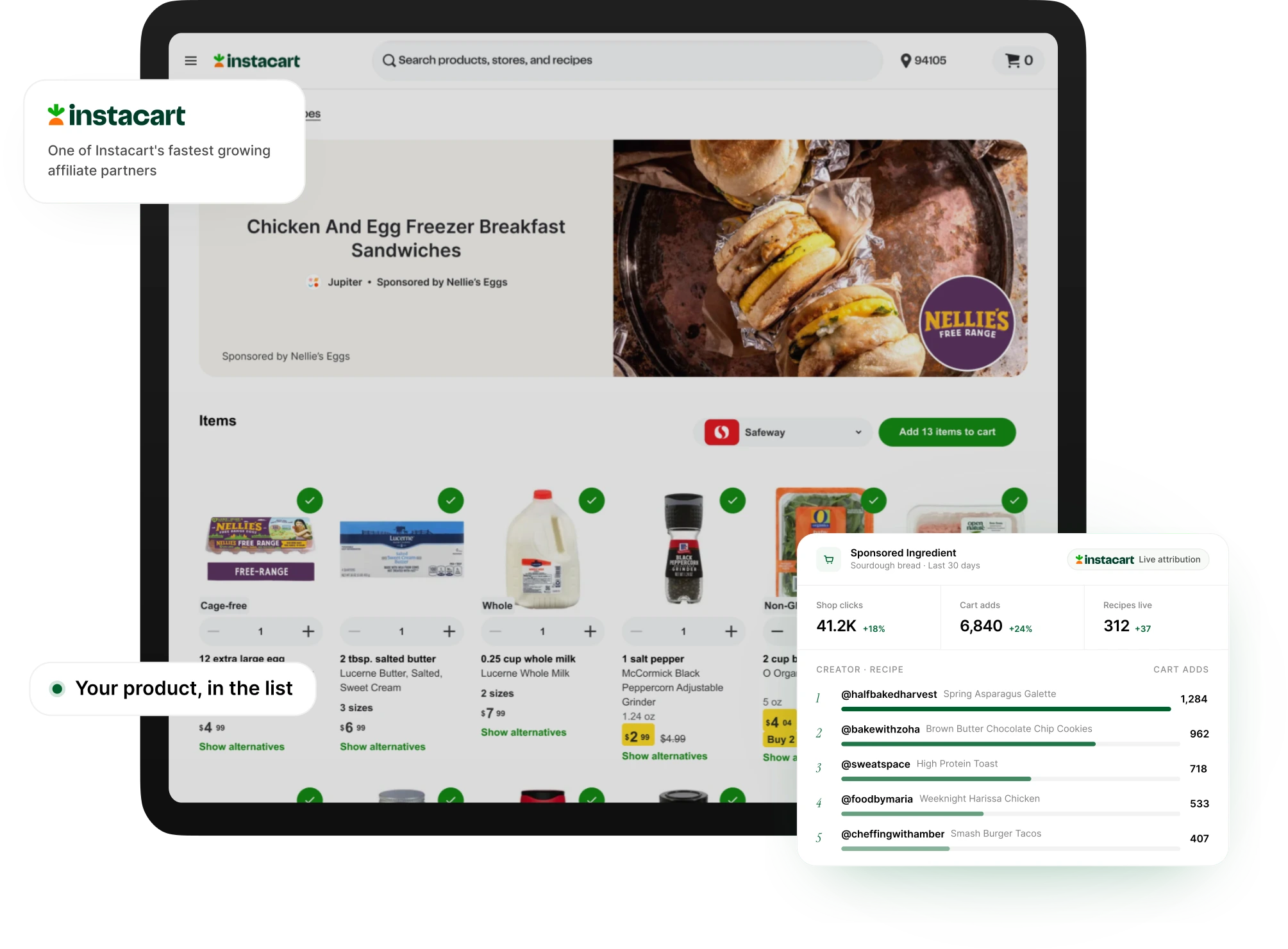
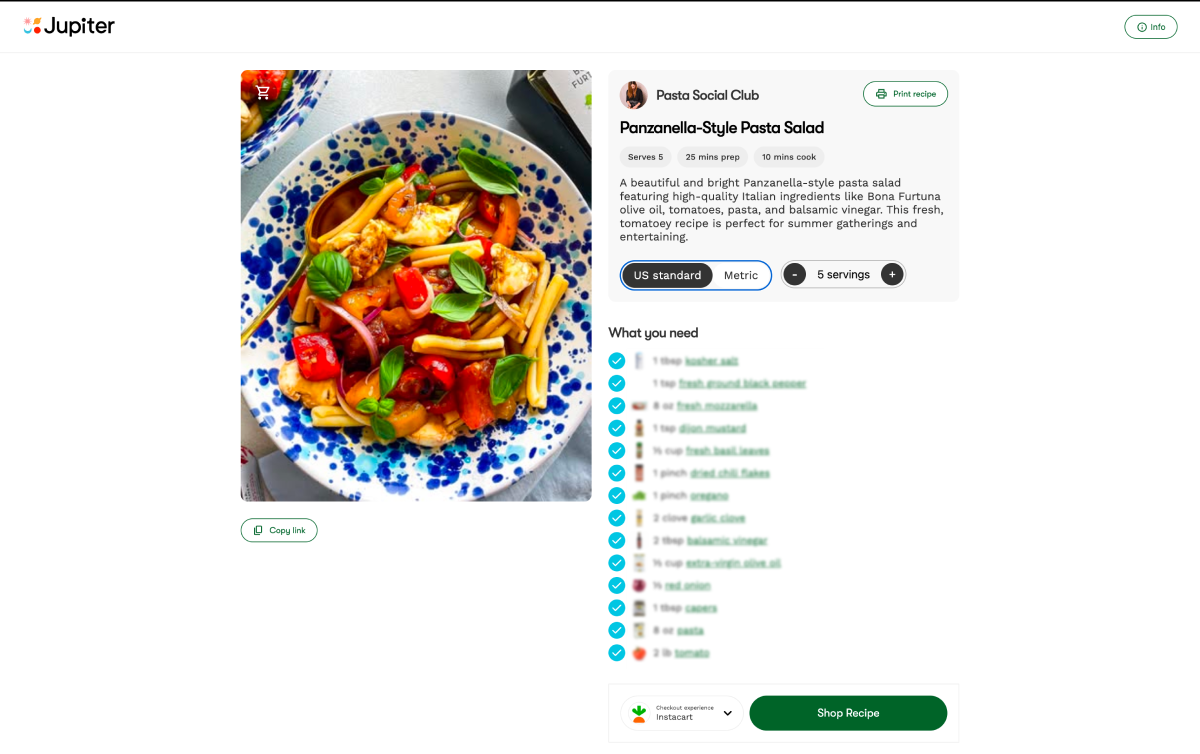
- Comment and DM automation, such as Jupiter's automatic recipe DMs, saves time on repeat requests without touching the recipe content.

On this page
▼
- Which AI tools for food bloggers are worth using?
- How do food bloggers use AI to write recipe posts?
- A five-point check for any AI recipe draft
- Can AI edit food photos without making them fake?
- Which AI tools help with recipe videos?
- Should food bloggers automate comments and DMs?
- How much time do AI tools save per recipe post?
- What should food bloggers never hand to AI?
- How Jupiter fits
AI tools for food bloggers are worth using for the work around a recipe and a liability for the recipe itself. Formatting, first drafts of intros, photo cleanup, video captions and recipe-request DMs all go faster with AI. Developing, testing and photographing the dish should stay with you.
That's our point of view, and it lines up with Google's. Google's guidance on using generative AI content says AI can help with research and structure, while generating many pages without adding value can violate its scaled content abuse policy. Below is each job, the tools that fit, and how we'd run the workflow.
Which AI tools for food bloggers are worth using?
The ones worth using do a repeatable admin task you already understand. If you can't judge whether the output is right, AI won't save you time, because you'll have to redo it.
Job | Tools that fit | Our verdict |
|---|---|---|
Turning cooking notes into a recipe draft | ChatGPT, Claude, Gemini | Use, then check every quantity and time |
Meta descriptions and alt text drafts | ChatGPT, Claude, Gemini | Use, edit for your voice |
Photo cleanup and masking | Lightroom AI masking and remove tools | Use on props and crumbs, never on the food |
Video captions and cuts | CapCut auto captions, Descript | Use, proofread ingredient names |
Recipe request DMs | Jupiter automatic DMs, ManyChat | Use, it's pure repetition |
Inventing a recipe you haven't cooked | Any chat assistant | Skip |
Generating the hero photo | Any image generator | Skip |
Mass-producing posts | Any writing tool | Skip |
The general roundup of the best tools for food bloggers covers hosting, plugins and email. This post stays on AI only.
How do food bloggers use AI to write recipe posts?
Use AI as a formatter and first-draft writer, after you've cooked. The workflow that holds up:
Cook the recipe and dictate or type rough notes: quantities, swaps, what went wrong.
Paste the notes into ChatGPT, Claude or Gemini and ask for a recipe card format with ingredients, steps and timings.
Check every number against your notes. AI assistants sometimes round or invent quantities.
Write the intro and tips yourself, or edit an AI draft until it sounds like you and says something only you know, such as why the dough needs the extra rest.
Ask the assistant for three meta description options and pick one.
The "only you know" part is what search engines and readers reward. Our food blog SEO guide covers what else helps a recipe rank.
A five-point check for any AI recipe draft
Run this before you publish anything an assistant touched:
Every ingredient in the steps appears in the ingredient list, and the reverse.
Quantities match your notes, including units. "1 tbsp" and "1 tsp" of salt is a ruined dish.
Oven temperatures and times match what you actually used.
Yield and serving size are ones you measured, not guessed.
Nothing in the intro claims an experience you didn't have, such as "my grandmother's recipe".
Can AI edit food photos without making them fake?
Yes, if you edit the scene and leave the food alone. AI masking lets you brighten the plate without blowing out the background, and object removal clears a crumb, a smudge on the rim or a stray reflection in seconds.
Where it crosses the line: changing the food. Making a sauce glossier, adding steam, or filling in a cake that sank tells readers your recipe does something it doesn't. They find out when they cook it.
Which AI tools help with recipe videos?
Auto-captioning and text-based editing save the most time on video. CapCut generates captions you can fix and restyle, and Descript lets you cut a voiceover by editing its transcript.
Proofread ingredient names. Speech recognition often turns "gochujang" or "za'atar" into something else, and a wrong ingredient in a caption is a wrong ingredient in someone's cart.

Let your recipe pages build themselves
Jupiter turns the posts you already publish into full recipe pages and sends recipes by DM to followers who ask. Free to join.
Should food bloggers automate comments and DMs?
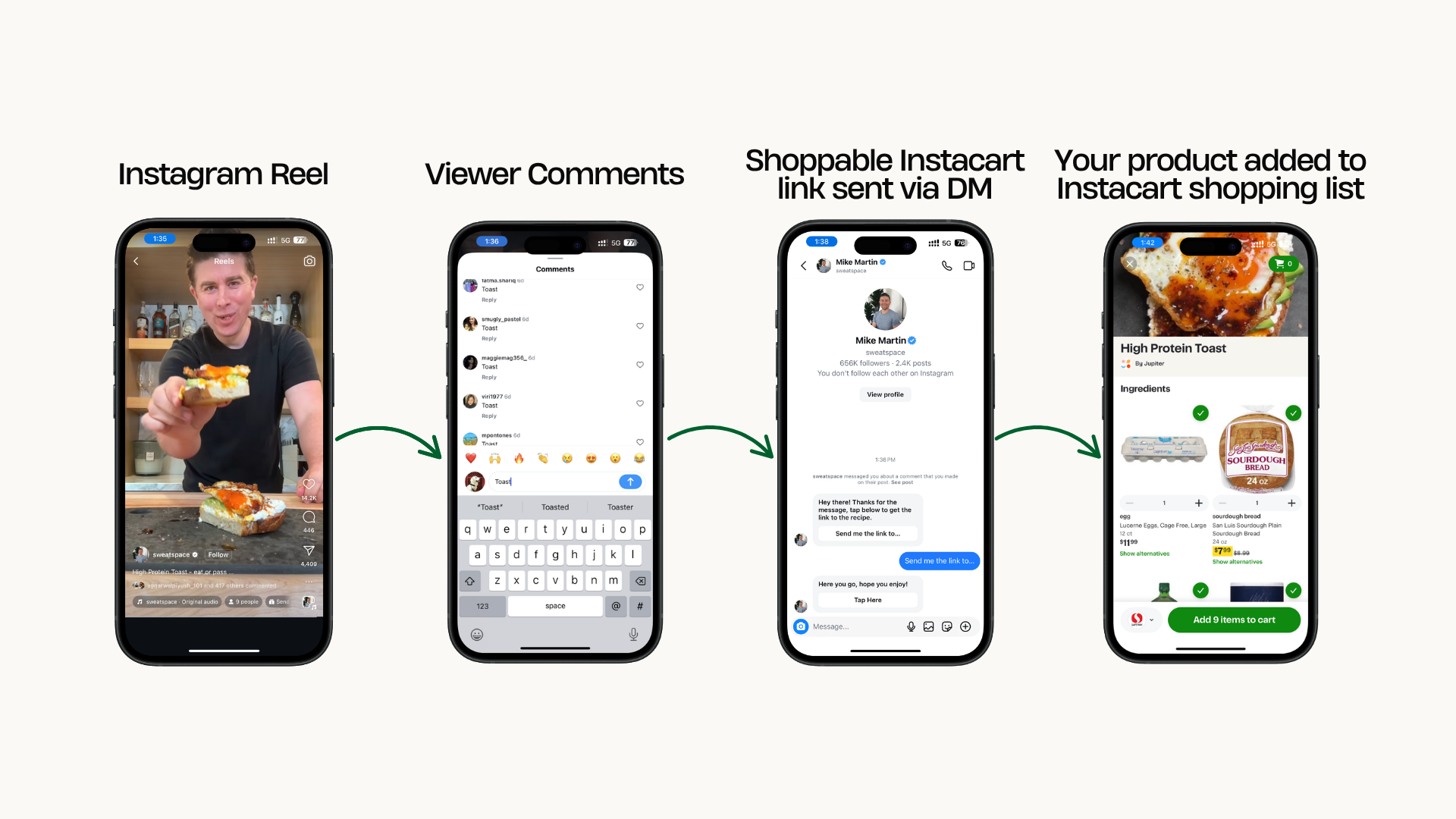
Automate the repeat request, not the conversation. When dozens of people comment "recipe" under a Reel, an automatic DM with the link saves you from copy-pasting the same reply all evening.
Jupiter does this for creators: when someone comments asking for the recipe, they get a DM with the link and a shoppable ingredient list. ManyChat is the other common option, and our post on ManyChat for food bloggers covers its setup. For how comment triggers work in general, see Instagram DM automation for food creators.
Questions about substitutions, allergies or a recipe that failed still deserve a human reply. Those are the messages that build loyal readers.
How much time do AI tools save per recipe post?
This is our illustrative estimate for one recipe post, not measured data. Time yours for a week before and after to get a real number.
Task | Without AI (estimate) | With AI (estimate) | Saved (estimate) |
|---|---|---|---|
Recipe card formatting | 30 minutes | 10 minutes | 20 minutes |
Intro and tips draft | 60 minutes | 30 minutes | 30 minutes |
Meta description and alt text | 20 minutes | 5 minutes | 15 minutes |
Photo cleanup | 40 minutes | 15 minutes | 25 minutes |
Video captions | 45 minutes | 15 minutes | 30 minutes |
Answering recipe DMs for a week | 60 minutes | 10 minutes | 50 minutes |
Total | 255 minutes | 85 minutes | 170 minutes |
On these assumptions, AI saves close to three hours per post. None of it comes from cooking, testing or shooting, which is where the value of a food blog lives.
What should food bloggers never hand to AI?
Three jobs stay human:
Inventing recipes you haven't cooked. An untested AI recipe can fail on ratios or timing, and the reader blames you.
Generating the dish photo. An image of food you never made is a promise your recipe can't keep.
Publishing at volume. Google's guidance says generating many pages without adding value may violate its spam policy on scaled content abuse. Ten tested recipes beat a hundred generated ones.
How Jupiter fits
Jupiter automates the parts of food blogging that are pure repetition. It turns content you've already posted into recipe pages with ingredients, steps, images and schema markup, and it answers recipe requests by DM. The cooking, testing and voice stay yours.
You can apply to Jupiter with no follower minimum, and Jupiter isn't exclusive.
Spend your hours in the kitchen, not on admin
Join Jupiter free and get automatic recipe pages, recipe DMs and brand campaigns on top of the content you already make.
FAQs
Quick answers to common questions.
Can I use ChatGPT to write recipes for my food blog?▼
You can use ChatGPT to format and tidy a recipe you've cooked, but not to invent one you haven't. AI assistants can produce quantities and timings that look right and fail in a real kitchen. Cook it, then let AI handle the formatting.
Does Google penalize AI-written food blog posts?▼
Google's guidance says AI can help with research and structure, and that content is judged on whether it helps people. Generating many pages without adding value can violate its scaled content abuse policy. A tested recipe with your own photos and notes is the safe side of that line.
What is the best AI tool for food photo editing?▼
Most food bloggers get the biggest win from AI masking and object removal in an editor they already use, such as Lightroom. Removing a crumb or a stray reflection takes seconds instead of minutes. Keep the food itself as photographed.
Should I use AI-generated food images?▼
Not for the finished dish. Readers expect the photo to show what your recipe makes, and an image of food you never cooked breaks that promise. AI images can work for clearly labelled graphics, never as recipe photos.
How much time do AI tools save food bloggers?▼
It depends on your workflow, so measure your own. Our illustrative estimate in this post puts the saving at roughly two to three hours per recipe post, almost all of it from admin tasks rather than cooking or shooting.
Related Posts
Browse more from our blog.